Temple Run 2 Festival – the nonstop rush you can’t ignore
Picture this: a neon‑lit temple corridor, confetti blasting from every corner, and a relentless pack of obstacles sprinting at you. Temple Run 2 Festival cranks the classic endless runner into overdrive, swapping the dusty ruins for a kaleidoscope of Holi‑inspired chaos. The stakes are simple—run, dodge, survive—but the payoff is a visual feast that makes every second feel fresh. If you crave instant adrenaline and a game that rewards split‑second reflexes, this is the title that keeps the heart hammering long after you hit “play.”
Controls are stripped down to the essentials, letting you focus on the chase. Whether you’re on a keyboard or a touchscreen, the commands feel natural and responsive:
- Keyboard Move – AD or Left/Right arrows
- Jump – W or Up arrow
- Slide – S or Down arrow
- Mobile Move & Turn – swipe left/right
- Mobile Jump – swipe up
- Mobile Slide – swipe down
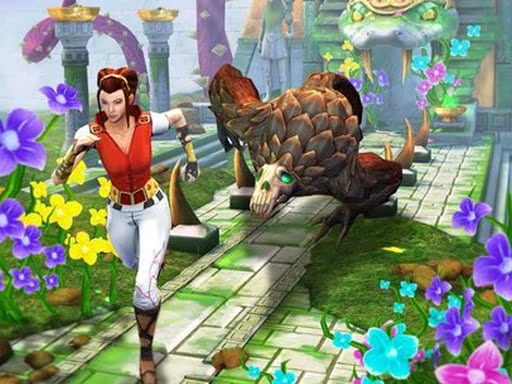
Mastering the run isn’t just about reflexes; it’s about rhythm. Hit a series of perfect jumps and slides to build combo chains, which boost your score multiplier exponentially. Keep an eye on the upcoming temple arches—some open wide, others slam shut. Timing your slide just before a low barrier lets you shave precious seconds off your run, while a well‑timed jump over a high obstacle preserves momentum. Power‑ups appear sporadically; grab the magnet to pull coins from a distance, or snag the boost to sprint through a tight cluster of traps. The longer you survive, the more the game throws at you, ensuring the thrill never fades.
Join the frenzy with Pokid
Ready to dominate the most vibrant run of your life? Download Temple Run 2 Festival now, strap in, and let the colors fly. Pokid brings the latest updates straight to your device—no lag, no fuss. Run, jump, slide, repeat—until you break your own high score. The temple’s waiting. Will you answer?
Keyboard Move - AD or Left Right arrow keys Jump - W or Up arrow key Slide down- S or Down arrow key Mobile Move and turn - swipe left right Jump - swipe up Slide - swipe down