Controls
- WASD or arrow keys or QE = move camera
- Left mouse button = select block
- Right mouse button = drag block
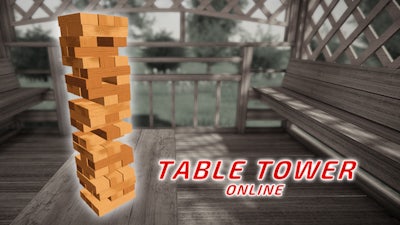


Imagine a 3D tower built from 54 blocks, wobbling under the weight of every move you make. One wrong nudge and the whole thing crashes. In Table Tower Online, every block you place is a test of timing, physics, and pure nerve. It’s a fast‑paced, 2 Player duel that pits your logic against a live opponent or a sharp AI. The thrill comes from watching the tower sway, feeling the tension, and hearing the final clatter when the opponent finally topples it.
Controls are stripped down to the essentials, so you can focus on the stacking madness. Move the camera, pick blocks, and drag them into place—all with a few keystrokes and clicks.
Winning isn’t just about speed; it’s about placement. Aim for the center of mass, keep the tower’s base broad, and watch the physics engine punish every over‑extension. In multiplayer mode, read your opponent’s rhythm. If they favor the left side, shift your next block to the right to create an imbalance. The 3D view lets you rotate the tower, revealing hidden weak spots. Master the logic of weight distribution, and you’ll stay upright longer than anyone else. Each victory unlocks new block skins, giving you bragging rights in the Pokid community.
Ready to prove you’ve got the steady hand and sharp mind for high‑stakes stacking? Jump into Table Tower Online now and challenge friends or strangers in frantic multiplayer rounds. The tower waits. The physics are unforgiving. The only thing missing is you. Play today on Pokid’s platform and claim the top spot.