Stack Tide – The Tidal Challenge That Keeps You Hooked
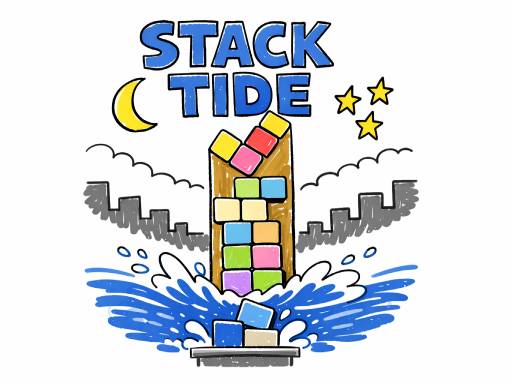
In Stack Tide, every falling block matters. You’re a lone sailor in a 2D sea of shapes, racing against an ever‑rising tide. Miss a drop, and the water swallows your tower. Nail the timing, and you’ll watch your stack climb higher than the horizon. This isn’t just another endless puzzler; it’s a skill test that rewards precision, nerves, and quick thinking. If you crave a fast‑paced, 1 Player showdown where each decision can make or break your high score, this is the game that will keep you glued to the screen.
Mechanics
Control is simple, but mastery is tough. Move left or right, rotate the drifting block, then drop it into place. The physics engine reacts to every shift, so you’ll feel the weight of each decision as the tide climbs.
- Desktop Drag with the mouse or use A D and Left Right Arrow to move
- Press Q E or Up Down Arrow to rotate
- Press Space or Enter to drop
- Mobile Tap and drag to move blocks
Strategy
Winning isn’t about speed; it’s about balance. Start each run by placing the first few blocks on a solid base. A stable foundation lets you experiment with higher‑risk moves later. Watch the tide meter: the faster it rises, the less margin you have for error. Prioritize blocks that create a flat surface; uneven stacks invite collapse. When you see a narrow piece, rotate it early to fit the gap before the water catches up. As you climb, the game rewards combos—dropping multiple blocks in perfect alignment boosts your score and slows the tide temporarily. Keep an eye on the upcoming shape queue; planning two steps ahead is the hallmark of true skill. Remember, each tower you build adds to an endless leaderboard, so every run is a chance to out‑stack your previous best.
Ready to prove you have the skill to dominate the tide? Download Stack Tide now, tap that first block, and watch your tower rise. Join the ranks of Pokid’s most relentless stackers and chase that endless high‑score today!
Desktop Drag with the mouse or use A D and Left Right Arrow to move Press Q E or Up Down Arrow to rotate Press Space or Enter to drop Mobile Tap and drag to move blocks