Build Your Cosmic Empire in My Space Hotel: Tycoon
Take charge of the galaxy’s most ambitious construction project. In
My Space Hotel: Tycoon, you’re not just managing a business—you’re crafting an alien-friendly resort that defies gravity. From designing zero-gravity spas to catering to interstellar foodies, every decision shapes your hotel’s success. Whether you’re a simulation fan or a tycoon pro, this game turns galaxy-hopping into a masterclass in management.
Master the Mechanics of Space Hospitality
Navigate your hotel’s layout with precision using intuitive controls. Move your character with **WASD**, **arrow keys**, or by **dragging the left mouse button**. Click the left mouse button to tweak UI elements, assign staff, or upgrade rooms. The interface is streamlined for speed—no clunky menus slow you down.
- Use **WASD** or **arrow keys** for smooth navigation
- Drag the left mouse button to reposition characters
- Left-click to access and adjust in-game UI elements
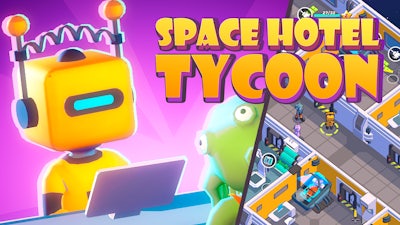
Outsmart the Universe with Smart Strategy
Success here demands balance. Start by mapping out zones—allocate space for alien lounges, human dorms, and robot repair bays. Prioritize energy grids for climate-controlled rooms, and stock kitchens with hypercharged snacks to keep guests happy. Watch for red flags: a single dissatisfied alien could trigger a galaxy-wide review storm. Scale your operations by unlocking tech like anti-gravity elevators or quantum Wi-Fi, but don’t overextend—cash flow matters.
Pro tip: Mix luxury and function. A spa with a view of a black hole? Yes. But pair it with a nearby diner selling fusion tacos. Guests want convenience, not a trek across three space stations.
Ready to claim your spot among the stars? Launch My Space Hotel: Tycoon today and turn cosmic chaos into a booming business. Built by Pokid, this simulation challenges your skills while letting your creativity orbit new frontiers. For more innovations, visit Pokid—where your next obsession awaits.