Controls
- Left click / space = jump
- Right click / shift / ctrl = power-ups (when available)
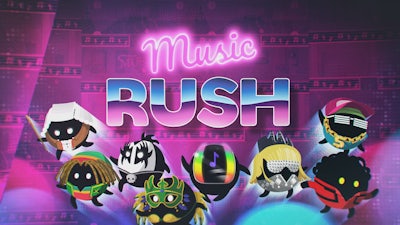


Music Rush is a fast-paced, rhythm-based 2D platform game that puts your reflexes and timing to the test. With a diverse soundtrack featuring 15 original tracks across genres like rock, pop, k-pop, and more, this game is all about rhythm, speed, and skill. As you jump from one beat to the next, the world around you shifts to the music. The goal is simple: keep moving, avoid obstacles, and collect everything that helps you rise to the top. This isn't just a game—it's a musical marathon where timing is everything.
Play is all about simplicity and intensity. The controls are straightforward but highly responsive:
Timing is key in Music Rush, and every second counts. The one-button jumping mechanic forces you to stay sharp and focused. As the platforms shift and the music builds, you'll need to avoid falling gaps and tricky hazards. Power-ups appear when the beat hits just right, giving you the boost needed to survive longer. Collecting coins and special items not only increases your score but also unlocks new challenges and tracks. The longer you stay on the rhythm, the more your high score climbs—and the more addictive the game becomes.
Developed by Pokid, Music Rush is a celebration of rhythm and challenge in one. Whether you're a fan of fast-paced action or just looking to test your musical reflexes, this game delivers intense, replayable fun. With smooth visuals, catchy soundtracks, and intuitive controls, it’s perfect for casual gamers and hardcore enthusiasts alike. Try to beat your own high score, or take on friends in a battle of timing and skill. Play Music Rush today and discover why rhythm games are the ultimate test of speed and precision. And for more exciting games, visit Pokid and dive into our growing library of hits.