Controls
- Drag the left mouse button or use the WASD/arrow keys to move the character
- Use the left mouse button to interact with in-game buttons
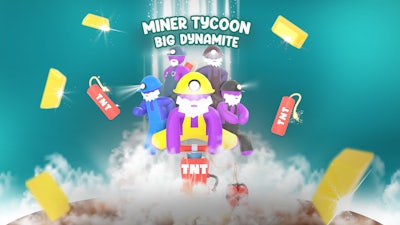


Grab your pickaxe and a sack of dynamite. In Miner Tycoon Big Dynamite, you start as a lone prospector and end as a mogul with a museum full of glittering gems. Every blast digs deeper wealth, every sale fuels a bigger operation. The game’s top‑down view lets you plan routes, destroy rock, and watch your empire grow in real time. If you love turning raw ore into cash, this simulation has the perfect mix of grind and flash.
Control is simple, but the payoff is massive. Move, mine, and manage with just a few clicks.
Success hinges on three pillars: efficient blasting, clever inventory, and savvy sales. Start by mapping out a top‑down grid of the mine. Spot the thickest veins and plant a charge where it will destroy the most rock with one blast. Upgrade your dynamite to increase blast radius and reduce wasted moves.
Next, sort your haul. Rare gems fetch premium prices, but common ore fuels your business upgrades. Build a refinery to turn raw stones into polished jewels—each upgrade unlocks a higher‑value product line. Remember: a full inventory slows you down, so stash excess loot in a nearby storage depot before it clutters your path.
Finally, master the market. Set dynamic prices in your shop, attract high‑paying customers, and watch the cash flow. Investing profit back into new drilling rigs, faster carts, and museum displays creates a feedback loop that propels you from miner to tycoon. Keep an eye on daily challenges; they reward you with exclusive decorations and extra cash that can tip the balance in tight spots.
Ready to blow the competition away? Jump into Miner Tycoon Big Dynamite now, claim your first claim, and start building the biggest mining empire on the market. For more explosive titles and updates, visit Pokid and stay ahead of the curve.