Controls
- Use the left mouse button to build
- Use Ctrl to get an overview
- Use Z to move the camera around the surface
- Turn the mouse wheel to zoom in
- Use the arrow keys to move the camera forward, back, left, and right
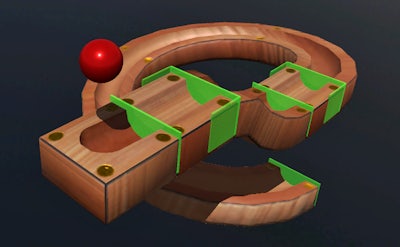


Picture a sleek 3D sandbox where every twist, turn, and drop obeys real physics. That’s Marble Run. You sketch a track, drop a sphere, and watch the cascade of kinetic energy you just engineered. The thrill isn’t just in the roll; it’s in the satisfaction of mastering logic and seeing your design come alive. For anyone who loves a blend of creativity and brain‑boosting puzzles, this simulation hits the sweet spot.
Mechanics & Controls – everything you need to start building right away:
Start simple: a straight drop tests gravity, then layer loops to introduce angular momentum. The key is to balance speed and stability; too steep and the marble flies off, too flat and it stalls. Experiment with different track pieces, watch the simulation react, and tweak until the marble glides flawlessly. As you progress, challenge yourself with multi‑ball cascades that require precise timing—a perfect way to sharpen logic and keep the gameplay loop addictive. Each new level feels like a fresh puzzle, turning casual play into an educational habit that trains the brain without feeling like a lesson.
Ready to build, test, and dominate? Jump into Marble Run today and see why Pokid fans call it the most satisfying building simulation on mobile. Craft the perfect run, share your masterpiece, and watch the physics‑driven chaos unfold. The marble’s waiting—let’s make it roll.