Hyper Hockey – Fast‑Paced Arcade Action
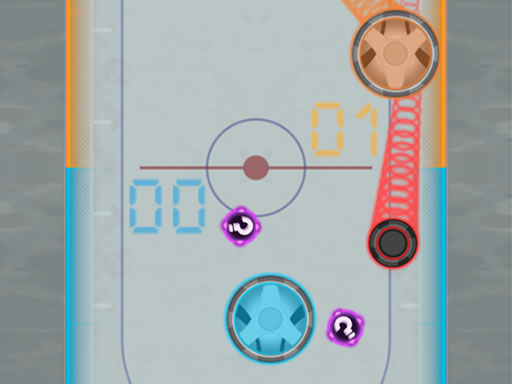
Hyper Hockey throws classic hockey into a neon‑lit arena where every strike feels like a burst of pure skill. Two players face off on a slick surface that reacts to every swipe and tap. The game’s warp zones and shifting goalposts keep the pace frantic, making each match a fresh test of reflexes. If you love quick Hypercasual thrills that still demand precision, this title hits the sweet spot. Play on Mobile or PC, and feel the rush of a true Arcade showdown. Pokid’s latest entry proves that a simple concept can still feel wildly fun and endlessly replayable.
Mechanics
Controls are stripped down to the essentials. Tap or drag with a mouse or finger to launch the puck. Keyboard players can dominate with arrow keys or WASD for the second player. The physics engine gives the puck a realistic glide, while the warp effect teleports it across the board for surprise attacks. Mastering the timing of each hit is the core of the game’s depth.
- Use mouse or touch the screen
- Use arrow keys
- 1st player WASD keys
- 2nd player
Strategy
Winning isn’t just about hitting hard. Positioning the puck near the warp zones forces your opponent into a defensive scramble. Aim for the corners that open up when goals shift; those are high‑value targets. In 2 Player Games, communication beats raw power. Coordinate moves with a friend to set up back‑handed shots that catch the other side off‑guard. As you rack up trophies, new arena skins appear—some with reduced friction, others with gravity tweaks that simulate a low‑Space environment. Each variation demands a fresh tactical approach, keeping the experience fresh long after the first win.
Don’t let the puck sit idle. Jump into a match, rack up trophies, and prove you have the fastest reflexes in the arena. Play Hyper Hockey now and experience Pokid’s most electrifying Mobile Arcade title yet. The leaderboard is waiting—score the first goal and claim bragging rights.
Use mouse or touch the screen Use arrow keys 1st player WASD keys 2nd player