Drift Race Simulator – High‑Octane 3D Action from Pokid
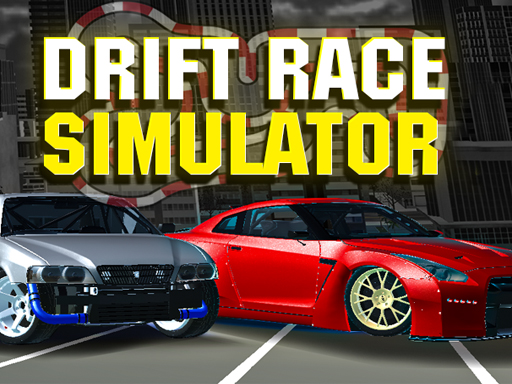
Feel the roar of a tuned machine as you tear through neon‑lit streets and winding circuits. Drift Race Simulator puts you behind the wheel of iconic Cars in a fully realized 3D playground. Master the art of drifting, stack cash, and upgrade your garage faster than a turbo‑charged engine. If you crave authentic physics, relentless Racing thrills, and a relentless grind for the perfect slide, this title delivers the adrenaline rush you’ve been hunting.
Mechanics
Controls are stripped down to what matters: throttle, steer, and that perfect rear‑end break. Grab the mouse, fire up the engine, and let the Car dance on the asphalt.
- Control of the camera - Mouse
- Changing the camera - C
- Auto control - WASD
- Arrows
- Gear shift - LShift
- LCtrl
- Start the engine - I
- Handbrake - Space
- Clutch - N
- Exit the game - General
- Exit
Strategy
Start with the lightweight Nissan Silvia S13; its balance makes early drift attempts forgiving. Upgrade tires, tweak suspension, and add neon kits to boost visual flair and grip. As your bankroll grows, lock in high‑output machines like the GT‑R R35 or BMW M5 E60. Each map—city streets, slick tracks, and a sprawling industrial zone—calls for a distinct approach. Focus on long, continuous slides to maximize drifting points, then switch to tight corner bursts for bonus multipliers. Keep an eye on the gear‑shift timing; a well‑timed LShift can preserve momentum and shave seconds off lap times. Regularly check the garage for fresh parts, and rotate your fleet to stay ahead of the competition.
Ready to dominate the asphalt? Jump into Drift Race Simulator now, feel the grip of real‑world physics, and prove you’ve got the skill to turn every corner into a masterpiece. Experience the ultimate blend of 3D Games immersion and high‑speed Racing—only from Pokid. Press start, lock the clutch, and let the world watch you slide.
Control of the camera - Mouse Changing the camera - C Auto control - WASD - Arrows Gear shift - LShift - LCtrl Start the engine - I Handbrake - Space Clutch - N Exit the game General - Exit