Pokid Presents: Cross Stitch - The Pixel Perfect Coloring Game
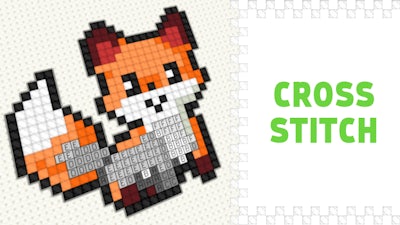
Get lost in a world of vibrant colors and soothing melodies with Cross Stitch, the ultimate pixel-perfect coloring game from Pokid. This addictive and relaxing experience is designed for players of all ages and skill levels, offering 50 beautiful drawings to color in, carefully sorted from easiest to hardest.
- Take your time to fill the labeled cells with the correct colors, carefully choosing from a vast palette of hues to bring your creations to life.
- Unleash your creativity and precision with our intuitive controls: drag right-click to move the canvas, left-click to color or move the canvas (depending on the selected tool), and mouse-scroll to zoom in or out.
- For an added layer of challenge, try using the 'move' tool to navigate your creations, and don't worry if you make mistakes – they're all part of the fun!
- On mobile devices, use one finger to color and move, and two fingers to zoom and move (with the 'move' tool, of course!)
As you progress through the levels, you'll discover a range of colorful and intricate designs to color in, each one more breathtaking than the last. With Pokid, you can expect the highest quality graphics and an immersive gaming experience that will leave you hooked.
So why wait? Download Cross Stitch today and start stitching your way to relaxation and creativity. With its soothing atmosphere and addictive gameplay, you'll be hooked from the very first pixel!
Don't miss out on the fun – join the millions of players who have already discovered the joy of Cross Stitch and start coloring your way to happiness today!