Controls
- [Z] Switch between building and destruction mode
- [V] Toggle Hammer
- [WASD] or [ARROWS] Walk
- [RF] Fly
- [Left Click] Shoot or Create
- [Right Click] Destroy
- [X] Toggle block gravity
- [C] Change block color
- [P] Return
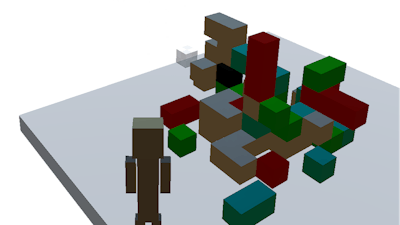


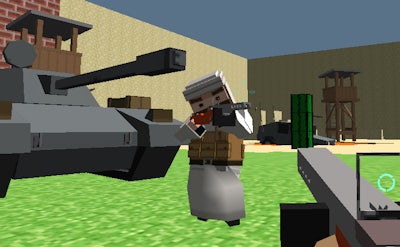
Imagine a sandbox where every block you place can become ammunition, and every explosion reshapes the terrain. Craft Destroy hands you a 3D arena that feels like Minecraft on steroids. Switch from meticulous building to all‑out demolition in seconds. The thrill comes from seeing your creations crumble under a gun‑fire barrage, then rebuilding stronger. Pokid delivers the perfect mix of creativity and chaos, and you’re the only one who decides which side wins.
The control scheme is stripped down for instant action. Grab a hammer, lift off, and start laying down blocks or blowing them up. Every key has a purpose, so you never pause to think about the next move.
Winning isn’t just about spraying bullets. Start by stacking a sturdy base with high‑density blocks—these resist the gun’s impact longer. Use the gravity toggle to drop heavy blocks onto enemy structures for a surprise collapse. Color‑code sections with the [C] key; it helps you spot weak points while you’re airborne. When you switch to destruction mode, aim for support pillars first; a single shot can bring down an entire fortress. Keep an eye on your flight stamina (RF) and hop back to ground for a quick repair. As you progress, unlock new block types that explode on contact or absorb damage, adding fresh layers to your tactics. Master the rhythm of building, shooting, and resetting, and you’ll dominate every match.
Ready to tear down limits and rebuild on your terms? Grab your controller, fire up Craft Destroy, and let Pokid show you how chaos becomes art.