Pokid Brings Back the Classic with ColorTris
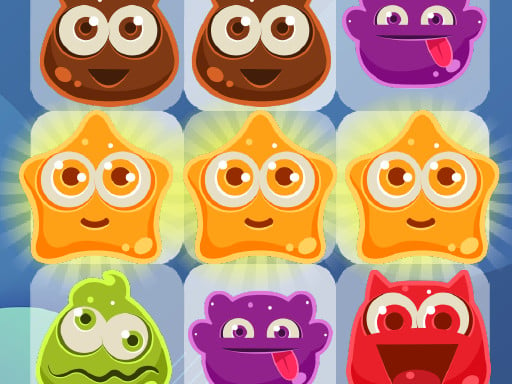
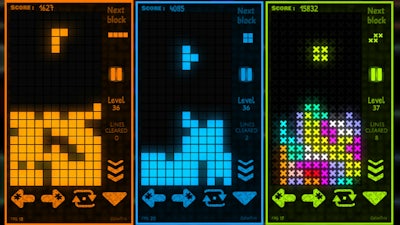
Get ready to rediscover the timeless fun of Tetris with a fresh twist in ColorTris, the latest puzzle phenomenon from Pokid. This addictive tile-matching game brings back memories of classic puzzle nights, but with a vibrant and colorful spin that will keep you engaged for hours.
With a wide range of lively themes to choose from, ColorTris is the perfect blend of nostalgia and innovation. The game's intuitive controls make it easy to pick up, whether you're using a keyboard, mouse, or gamepad. Here's a breakdown of the gameplay mechanics:
- Controls: ColorTris supports full controller functionality, so you can play with your preferred input method.
- Keyboard controls:
- Menu navigation: [ Esc / X / Numpad - ]
- Submit or close menu: [ Enter / Space ]
- Move left: [ A / Left arrow ]
- Move right: [ D / Right arrow ]
- Move down: [ S / Down arrow ]
- Slam down: [ Shift / K ]
- Rotate clockwise: [ W / L / Up arrow ]
- Rotate anti-clockwise: [ Ctrl / J ]
- Full screen/window mode: [ F11 ]
- Gamepad controls:
- Menu navigation: [ Cancel (East) ]
- Submit or close menu: [ Submit (South) ]
- Move left: [ D-pad Left / Any stick Left ]
- Move right: [ D-pad Right / Any stick Right ]
- Move down: [ D-pad Down / Any stick Down ]
- Slam down: [ West ]
- Rotate clockwise: [ North / D-pad Up / Right shoulder ]
- Rotate anti-clockwise: [ Left shoulder ]
So, what's the secret to mastering ColorTris? It's all about strategy and timing. Here are some pro tips to get you started:
- Plan ahead: Think about the next few moves and try to create as many combinations as possible.
- Clear rows efficiently: Focus on clearing entire rows to earn bonus points and increase your score.
- Use special moves wisely: Slamming down or rotating blocks at the right moment can give you a significant advantage.
Ready to challenge yourself with the ultimate puzzle experience? Head over to ColorTris Demo and discover the addictive gameplay that has captured the hearts of gamers worldwide. Join the Pokid community and experience the thrill of ColorTris for yourself. Visit Pokid to explore more exciting games and puzzles waiting to be solved!
Don't miss out on the ColorTris phenomenon! Try it today and discover a whole new world of puzzle excitement.
Instructions:
Controls
Full controller support : Can be played with keyboard, mouse, touch, gamepad, etc.
Go back, close menu, pause game
- Keyboard - [ Esc / X / Numpad - ]
- Gamepad - [ Cancel (East) ]
Click or press menu buttons
- Keyboard - [ Submit (Enter) / Space ]
- Gamepad - [ Submit (South) ]
Navigate menu buttons
- Keyboard - [ WASD / Arrow keys ]
- Gamepad - [ D-pad / Any stick ]
Move left
- Keyboard - [ A / Left arrow ]
- Gamepad - [ D-pad Left / Any stick Left ]
Move right
- Keyboard - [ D / Right arrow ]
- Gamepad - [ D-pad Right / Any stick Right ]
Move down
- Keyboard - [ S / Down arrow ]
- Gamepad - [ D-pad Down / Any stick Down ]
Slam down
- Keyboard - [ Shift / K ]
- Gamepad - [ West ]
Rotate clockwise
- Keyboard - [ W / L / Up arrow ]
- Gamepad - [ North / D-pad Up / Right shoulder ]
Rotate anti-clockwise
- Keyboard - [ Ctrl / J ]
- Gamepad - [ Left shoulder ]
Full screen / window mode