Controls
PC Controls
Use the left mouse button to click on the button
Mobile Controls
Tap on the screen to play the game.
Use the left mouse button to click on the button
Tap on the screen to play the game.



Every tap snaps you closer to that sweet, idle cash flow. The game strips away fluff and hands you a single button that screams 2D arcade simplicity. One click, one upgrade, one ridiculous pile of virtual money. Pokid built this loop to hit that instant‑gratification spot every gamer craves. If you love watching numbers climb while the screen hums with retro‑style beats, this is the title that will keep you glued.
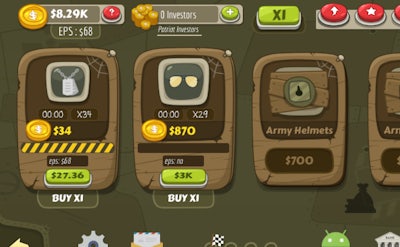
The core mechanic is pure incremental click‑action. Hit the central button, earn cash, and spend it on upgrades that boost your earnings per click and per second. Unlock a roster of quirky buttons, each with its own visual flair and sound cue. Swap cursor skins, switch themes, and drop in fresh tracks to keep the arcade vibe fresh. As you level up, the idle engine ramps, turning passive clicks into a relentless money machine. The 2D graphics stay crisp, and the UI stays uncluttered, so you can focus on the numbers ticking higher.
Strategic depth hides behind the simple tap. Prioritize upgrades that multiply your click value before you pour cash into passive income generators. Mix and match button types to trigger combo bonuses—some give a burst of cash, others speed up the idle timer. Keep an eye on the cost curve; buying a high‑price upgrade early can shave minutes off your grind later. The game rewards patience with exponential growth, but it also hands you short‑term wins that feel like a cheat code. Set mini‑goals—like unlocking a new cursor style or theme—and watch the satisfaction meter climb alongside your bank balance.
Ready to turn a single click into a cash avalanche? Jump into Click Click Clicker now and watch Pokid’s latest arcade idle masterpiece explode your score. Install, tap, upgrade, repeat—your next high score is just a click away.
Use the left mouse button to click on the button
Tap on the screen to play the game.