Cat Robot Transform War: Unleash the Fierce Battle
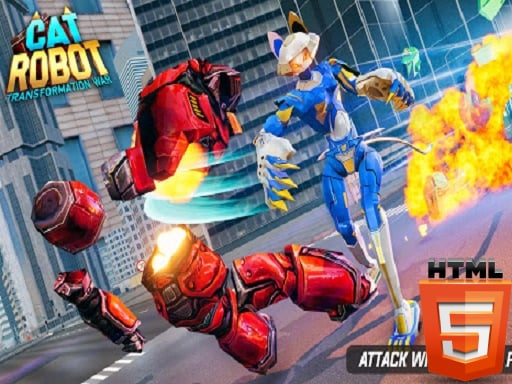
Enter a world of non-stop action and thrilling robot combat in Cat Robot Transform War, a dynamic game developed by Mentolatux and brought to you by Pokid. This electrifying experience combines the best of robot shooting and wild animal transformation, challenging you to clear the city of adversaries in a series of epic car and cat robot battles. With its seamless blend of survival hero action and car robot transformation, Cat Robot Transform War is a must-play for fans of Android, iPhone, and iPad gaming.
Master the Mechanics
Get familiar with the controls to dominate the battlefield. The game offers a range of intuitive controls for both PC and mobile devices, ensuring a smooth gaming experience across HTML5 and WebGL platforms.
- TAB to show menu
- WASD to move (PC)
- MouseLeft to shoot
- MouseRight to Aim (PC)
- F to change to car and press again F to change to cat robot (PC)
- On control car, use button (Mobile)
- On mobile, you can use button from the screen, and for PC version use WASD
Strategy and Progression
To excel in Cat Robot Transform War, you'll need to develop a solid strategy. Focus on upgrading your robot's abilities, such as punching and jumping, to take on tougher foes. As you progress through the game, new challenges and enemies will emerge, requiring you to adapt and evolve your tactics. Driving and shooting skills will be essential to success, so make sure to practice and master these skills to dominate the battlefield.
Ready to join the robot war? Visit Pokid to explore more exciting games like Cat Robot Transform War, or head straight to Cat Robot Transform War to start your adventure. With its unity of action, strategy, and transformation, this game is sure to keep you hooked on your mobile, PC, or tablet device.
TAB show menu WASD to move MouseLeft to shoot MouseRight to Aim F to change to car and press again F to change to cat robot on control car use button mobile from the screen and for PC version use WASD on mobile you can use button from the screen