Controls
Left-click and drag to move the objects
While dragging
- Left and right arrow keys = rotate objects
- Up and down arrow keys = scale objects
- Page-up = swap depth
- Insert = duplicate clip
- Home and end keys = move the camera
Left-click and drag to move the objects
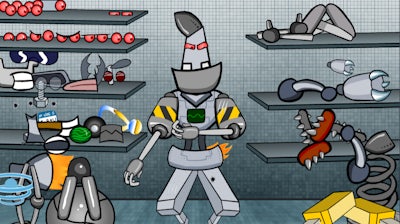


Imagine a sandbox where every bolt, gear, and laser‑cannon is yours to command. Build a Robot lets you design a 2D masterpiece from scratch, then watch it come to life in crisp Flash‑style animation. Whether you’re a seasoned tinkerer or just love a good Dress Up challenge, the thrill of seeing your custom creation march across the screen is instant.
Master the controls and the robot‑building workflow becomes second nature:
Strategy isn’t just about stacking parts; it’s about balance, symmetry, and function. Start with a sturdy chassis, then layer limbs that match the robot’s intended role—speed, strength, or firepower. Experiment with depth swaps to create hidden compartments or surprise weapons. As you unlock new components, revisit old builds and remix them for higher scores. The progression loop keeps you tweaking, testing, and perfecting every design.
Ready to turn imagination into metal? Jump into Build a Robot now and let Pokid’s intuitive editor fuel your creativity. Your dream robot is just a few clicks away—assemble, polish, and dominate the arena today.
Left-click and drag to move the objects