Batman Coloring Book – Dark Knight, Bright Hues
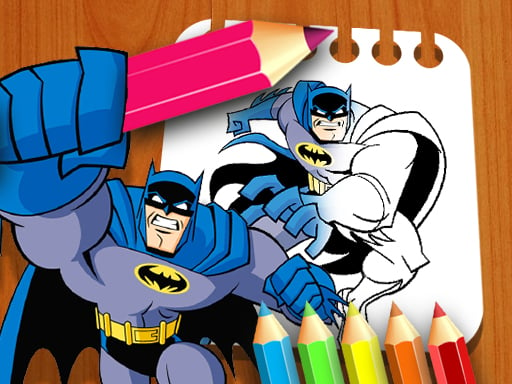
Grab the cape, pick up a virtual brush, and bring Gotham’s most iconic vigilante to life. This isn’t just a coloring app; it’s a fast‑paced clicker that lets fans of all ages flex their artistic muscles while solving a light puzzle of shading. Whether you’re a kid learning to draw or an adult chasing that perfect red bat‑signal, the game gives you instant satisfaction. The moment you splash the first shade onto the page, the thrill of seeing Batman emerge from the line art pulls you deeper. That’s why you’ll stay glued to the screen—because every stroke feels like a win.
Mechanics
Controls are razor‑sharp and simple. Click the color palette, drag the cursor across the canvas, and watch the ink flow. Adjust the brush size for fine line work or bold fills. Need a clean‑up? Tap the eraser and swipe away mistakes in seconds. The interface is built for quick drawing sessions, so you can jump from one page to the next without a learning curve.
- Use the Mouse Drag to Coloring
Strategy
Start with the boldest palettes—high‑contrast reds, blues, and blacks—to lock in the iconic look. Then layer subtle shades to add depth; a dark gray under a bright yellow cape makes the hero pop. Treat each page like a mini puzzle: plan your color order to avoid over‑painting, and use the eraser sparingly to keep the canvas clean. For the competitive edge, aim for the “perfect score” badge by completing each drawing without lifting the mouse more than three times. That “clicker” rhythm trains muscle memory, turning casual coloring into a skillful challenge. Keep an eye on the timer for bonus points, and watch your progress chart rise—proof that this educational experience actually improves hand‑eye coordination.
Don’t wait—jump into the Batman Coloring Book now and unleash Gotham’s shadows with every swipe. If you love games that blend art, quick reflexes, and a dash of brain‑teasing, you’ll find a home at Pokid. Grab your mouse, pick your favorite hue, and start turning black‑and‑white panels into legendary comic‑book moments. The cape is waiting.
Use the Mouse Drag to Coloring