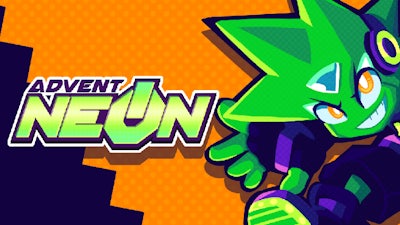
Advent NEON – Neon‑lit Mayhem from Pokid
Speed‑fueled chaos crashes onto a 2D side scrolling canvas. Neon‑glowing cityscapes, relentless enemies, and a soundtrack that punches harder than a combo—this is the kind of battle that makes you forget the real world. If you crave a fighting platform that feels like a sprint through a synthwave dream, Advent NEON drops you right in the middle of the action.
Controls are tight, responsive, and built for both keyboard and gamepad. Master the flow with these inputs:
- Move: WSAD/Arrows – Left Stick/D‑Pad
- Jump: Space bar / C – Bottom Face/Left Bumper
- Punch: P / Z – Left Face/Right Face + Direction Dash: O / X
- Break Attack: Hold Dash + Press Punch + Direction (or Right Stick on gamepad)
Full gamepad support means you can remap everything in the options menu. “Tap up to Jump” and deadzone sliders (10‑85%) let you fine‑tune the feel. Play in Chrome, fire up the visualizer under Options → Video → Display Inputs, and watch your inputs light up in real time. The setup is designed to keep the focus on destroying foes, not fumbling with controls.
Every level rewards precision and rhythm. Chain dashes into punches, then unleash a break attack to vaporize clusters of enemies. Keep an eye on enemy patterns; a well‑timed dash can turn a crowded screen into a clean sweep. Collect glowing shards to unlock new abilities, and watch the difficulty curve rise just enough to stay addictive without feeling punishing. Mastering the dash‑punch combo is the key to high scores and brag‑worthy leaderboards.
Why Pokid’s Advent NEON deserves a spot in your library
Pokid blends retro platform roots with modern fighting mechanics, delivering a 2D spectacle that feels fresh every run. The crisp pixel art, fluid animation, and synth‑driven beats create an immersive loop that pulls you back for “just one more round.” Whether you’re a controller junkie or a keyboard warrior, the game’s responsive input scheme makes every hit feel satisfying.
Ready to light up the neon streets and destroy the competition? Jump straight into Advent NEON or explore more titles on Pokid. The city’s pulse is waiting—hit start and own the night.
To ensure your gamepad controls are working, you can open a Visualizer for your inputs by going to Options -> Video -> Display Inputs. These show the real-time inputs from your controller regardless of what's happening in the game.