2020 Realistic Tank Battle Simulation – Pure Firepower, Zero Fluff
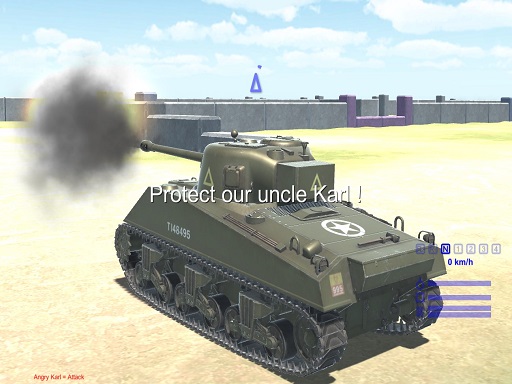
Strap in, commander. This isn’t a sandbox of cheap explosions; it’s a hard‑core tank showdown built on Unity3D and streamed through WebGL. Every shell lands with weight, every turret rotation feels earned. You’ll pilot a squad of meticulously modeled tanks across real‑world terrain, tackling missions that demand precision and nerves of steel. If you crave the roar of a 125mm cannon and the satisfaction of a perfect headshot, this simulation answers the call.
Mechanics
Control the battlefield with a lean key set. Master the basics, then let instinct take over.
- WASD - MOVE
- USE MOUSE TO SHOOT AND CHOOSE TARGET
- TAB - RESTART MISSION
- LEFTSHIFT - SHOW MOUSE AND YOU CAN EXIT FROM MISSION
Strategy
Winning isn’t about spamming fire. Positioning, ammo management, and terrain awareness separate the legends from the rookies. Start each mission by scouting high ground; elevation grants a clear line of sight and forces enemy tanks into predictable routes. Use the left‑shift toggle to flip between first‑person and third‑person views, letting you spot hidden snipers while keeping your own silhouette low. Prioritize targets based on armor thickness—hitting the rear or side reduces the enemy’s survivability dramatically. Keep an eye on your reload timer; a well‑timed burst can cripple a convoy before it reaches its waypoint. As you progress, unlock upgraded barrels and reinforced armor, but remember each addition shifts your tank’s weight and handling. Adapt on the fly, and the battlefield will bend to your tactics.
Ready to dominate the frontlines? Grab the controls, fire the first round, and prove you have the grit to command the most realistic tank combat experience on the web. Play now at 2020 Realistic Tank Battle Simulation and experience why Pokid is setting a new standard for browser‑based shooters.
WASD - MOVE USE MOUSE TO SHOOT AND CHOOSE TARGET TAB - RESTART MISSION LEFTSHIFT - SHOW MOUSE AND YOU CAN EXIT FROM MISSION