Try Again – A 2D Physics Platformer That Rewards Persistence
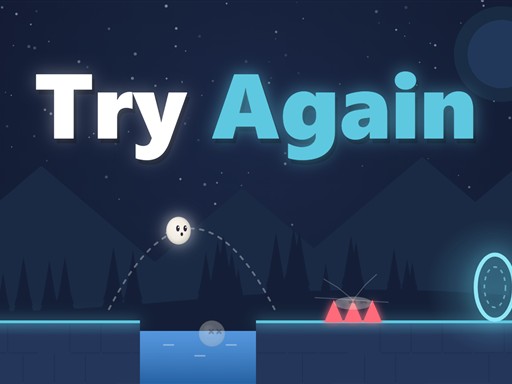
In Try Again you command a rolling ball through 70 quirky levels. Each stage throws a fresh trap or a disappearing floor that forces you to rethink your timing. The game’s humor shines through every stumble, making each failure feel like a funny lesson rather than a setback. If you love tight jumping challenges and crisp physics puzzles, this casual title will keep you glued to the screen.
Try Again – Core Mechanics
The control scheme stays lean so you can focus on skill and timing. Use the keyboard or touch screen to roll, jump, and pause.
- Keyboard Arrow keys or A D to roll
- Up W or Space to jump
- Esc or P to pause
- Touch hold the left button to roll
- tap the right button to jump
Try Again – Strategy and Progression
Success hinges on observation and timing. Start each zone by scanning the layout; many floors vanish after a short delay, and hidden spikes fire only when you stand still. Memorize these patterns, then adjust your roll speed to slip through gaps. Every ten levels introduce a new environment, a fresh visual theme, and a boss that tests the skills you just honed. Bosses combine moving platforms, timed jumps, and unpredictable traps, so keep your reflexes sharp.
Upgrade your ball’s color as you advance. Each hue unlocks a subtle visual cue that hints at upcoming hazards, giving you a tactical edge without breaking the core challenge. Play on mobile or desktop; the HTML5 engine delivers smooth physics across devices, so you can practice on the go or at home.
When a level feels impossible, pause, study the death animation, and note where the trap triggered. The next attempt benefits from that insight—every loss adds a piece to the puzzle. This loop of die‑learn‑retry creates a rewarding rhythm that keeps you coming back for more.
Ready to roll, jump, and outsmart every trap? Grab Try Again now, master each platform, and prove your skill. Visit Pokid for more titles that blend humor with tight gameplay.
Keyboard Arrow keys or A D to roll Up W or Space to jump Esc or P to pause Touch hold the left button to roll tap the right button to jump