Alien Quarantine – A High‑Octane Space Shooter Experience
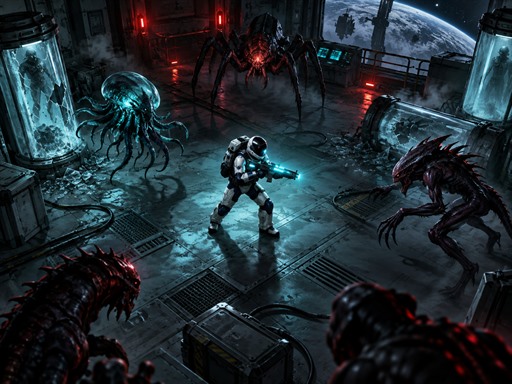
You step onto a derelict research station orbiting a distant planet, only to find it swarming with hostile alien life. Every corridor hides a new threat, every console a chance to turn the tide. Survive twenty intense missions, rescue trapped crew, and secure the station before the infestation spreads. The pressure is real, the action is relentless, and each level pushes your reflexes to the limit.
Alien Quarantine Mechanics
The control scheme keeps you in the flow. Move with precision, aim with confidence, and fire without hesitation.
- WASD Arrow Keys Move
- Mouse Aim
- Left Click Fire
- Right Click Throw grenade
- E Use consoles collect items and activate exits
- Esc Pause
- Touchscreen Use the on-screen movement fire grenade and interact controls
Alien Quarantine Strategy
Mastering each level starts with positioning. Keep your back to a wall when possible; it limits the angles enemies can approach. Prioritize consoles that restore power—those stations often disable turret fire or open new escape routes. When a wave ends, a larger boss appears. Study its attack pattern before committing fire; most bosses expose a weak spot after a charge sequence. Grenades excel against tightly packed alien clusters, while precise shots shred lone targets. Collect every sample you find; they unlock upgrades that increase fire rate, grenade radius, and shield capacity. As you descend deeper, enemy designs evolve, demanding faster decision‑making and tighter aim. Keep an eye on the mini‑map for hidden passages that bypass heavy combat zones and save valuable time.
Ready to prove your mettle? Grab your controller, lock onto the station’s core, and start the purge. Pokid delivers the adrenaline rush you crave—join the fight now.
WASD Arrow Keys Move Mouse Aim Left Click Fire Right Click Throw grenade E Use consoles collect items and activate exits Esc Pause Touchscreen Use the on-screen movement fire grenade and interact controls